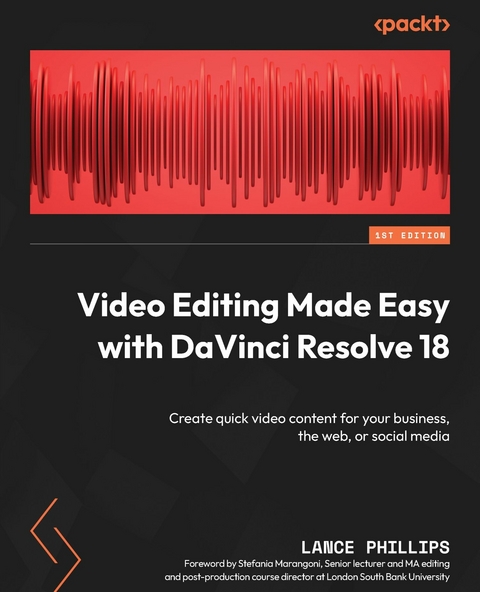
Video Editing Made Easy with DaVinci Resolve 18 (eBook)
340 Seiten
Packt Publishing (Verlag)
978-1-80107-594-7 (ISBN)
Micro content dominates social media marketing, but subpar editing and low-quality videos can shrink your audience. Elevate your social media game with DaVinci Resolve - the world's most trusted name in color grading that has been used to grade Hollywood films, TV shows, and commercials. Version 18 enables you to edit, compose VFX, mix sound, and deliver videos for different platforms, including social media and the web.
You'll learn the basics of using DaVinci Resolve 18 to create video content, by first gaining an overview of creating a complete short video for social media distribution directly from within the 'Cut' page. You'll discover advanced editing, VFX composition, color grading, and sound editing techniques to enhance your content and fix common video content issues that occur while using consumer cameras or mobile phones.
By the end of this book, you'll be well-equipped to use DaVinci Resolve to edit, fix, finish, and publish short-form video content directly to social media sites such as YouTube, Twitter, and Vimeo.
Boost your audience on social media by leveraging DaVinci Resolve 18 and share impressive micro-content with the guidance of a certified Blackmagic Design training partnerPurchase of the print or Kindle book includes a free PDF eBookKey FeaturesEnhance your content with creative editing, VFX composition, color grading, and sound editing techniquesLearn techniques to generate quick video content to engage and increase your audienceDiscover the latest features and hacks of DaVinci Resolve 18 to realize your creative ideasBook DescriptionMicro content dominates social media marketing, but subpar editing and low-quality videos can shrink your audience. Elevate your social media game with DaVinci Resolve - the world s most trusted name in color grading that has been used to grade Hollywood films, TV shows, and commercials. Version 18 enables you to edit, compose VFX, mix sound, and deliver videos for different platforms, including social media and the web. You ll learn the basics of using DaVinci Resolve 18 to create video content, by first gaining an overview of creating a complete short video for social media distribution directly from within the Cut page. You ll discover advanced editing, VFX composition, color grading, and sound editing techniques to enhance your content and fix common video content issues that occur while using consumer cameras or mobile phones. By the end of this book, you ll be well-equipped to use DaVinci Resolve to edit, fix, finish, and publish short-form video content directly to social media sites such as YouTube, Twitter, and Vimeo.What you will learnExplore how to edit, add effects, and post to social media using the new Cut pageDeliver video projects swiftly to a variety of social media formats using the Cut pageFix problems with videos, such as stabilizing footage and syncing audioEnhance the quality of your videos through color correction and other visual effects techniquesDiscover how to use the Neural Engine AI in the Studio Version of DaVinci Resolve to speed up your workAdd subtitles and dubbed audio to help your videos reach a wider audienceWho this book is forThis book is for beginner content makers looking for quick techniques to improve their skills and work. It s also useful for experienced content makers who want to begin using DaVinci Resolve for its advanced features. The book acts as a practical training manual for social media marketers, influencers, short film makers, small business owners creating their own content, vloggers, and film/media studies students at schools, colleges, or universities.]]>
Preface
DaVinci Resolve is used to enhance the color of Hollywood films, TV shows, and commercials and does so better than any other video editing software. Version 18 enables you to edit, compose VFX, mix sound, and deliver for different platforms, including social media – all in one piece of software.
This book provides a hands-on approach to using DaVinci Resolve to create and enhance your videos for social media and the web, using a Hollywood-standard video editing suite of tools.
Who this book is for
This book is for emerging creatives, social media influencers, and content makers; anyone with an idea they want to realize and publish online will benefit from this book.
Not only will the nascent content maker who is looking for quick techniques to improve their work benefit from this book but it will also be useful for experienced content makers who want to begin using DaVinci Resolve for its more advanced features. It is a useful and practical training manual for social media marketers, influencers, short film makers, small business owners creating their own content, vloggers, and film/media studies students at schools, colleges, or universities.
What this book covers
Chapter 1, Getting Started with Resolve – Publishing Your First Cut, will teach you how to quickly import, organize, review, assemble, and publish video footage on the Cut page's Timeline.
Chapter 2, Adding Titles and Motion Graphics, will help you enhance the project you created in Chapter 1 by adding a basic title and motion graphics, using Fusion FX and transitions on the Cut page.
Chapter 3, Polishing the Camera Audio – Getting It in Sync, looks at how recording separate audio can improve your video and how Resolve makes it easy to sync separate sounds with your video.
Chapter 4, Adding Narration, Voice Dubbing, and Subtitles, will look at making our now-complete video accessible by adding narration, voice dubbing, and subtitles.
Chapter 5, Creating Additional Sound, will look at creating a sound library and importing sound effects into Fairlight to then use on our Timeline.
Chapter 6, Working with Archive Footage, will look at using Fusion FX to restore old video footage and changing the timing of our dubbed audio to match the timing of the video.
Chapter 7, Stabilizing Shaky Footage, teaches you how to stabilize shaky video footage on the Cut and Edit pages.
Chapter 8, Hiding the Cut – Making Our Edit Invisible, will look at continuity editing and how to use cutaways, cut-ins, and split edits on the Edit page to hide bad cuts.
Chapter 9, Adding Special Effects, will cover how to shoot for a green screen and how to work with it in DaVinci Resolve, using different types of Keyers.
Chapter 10, Split Screens and Picture-in-Picture, looks at creating a split screen using composite footage and video resizing, as well as picture-in-picture effects using the Resolve FX Transform Video Collage filter on the Cut page.
Chapter 11, Enhancing Color for Mood or Style, will introduce color theory as used in Hollywood films and how to use color FX tools on the Cut page to fix color.
Chapter 12, Studio-Only Techniques, will look at the AI Neural Engine tools, only available in the Studio version of DaVinci Resolve, that can speed up your edit process.
Chapter 13, Glossary, covers the definitions of all the key technical and film-making terms used in the book.
To get the most out of this book
For this book, you do not need to have any previous technical knowledge, apart from a basic understanding of how to upload content to social media and how to organize files on your own computer.
You will need at least the latest version of DaVinci Resolve 18.1 installed on your computer. The exercises in this book should also work with future releases of DaVinci Resolve.
| Software/hardware covered in the book | Operating system requirements |
| DaVinci Resolve 18.1 | Windows, macOS, or Linux |
You will need the Studio version of DaVinci Resolve 18 for some of the features explained in this book, particularly Chapters 4, 6, 11, and 12.
We advise you to source videos yourself or download the practice video files from the book’s Packt server link (a link is available in the next section).
Feel free to post your video creations on social media and use the hashtag #ResolveEasyEdits to share them with us.
Download the example video files
You can download the example video files for this book from https://packt.link/B5bqz. If there’s an update to the video files, they will be updated.
We also have code bundles from our rich catalog of books and videos available at https://github.com/PacktPublishing/. Check them out!
Download the color images
We also provide a PDF file that has color images of the screenshots and diagrams used in this book. You can download it here: https://packt.link/NtGgR.
Conventions used
There are a number of text conventions used throughout this book.
Code in text: Indicates code words in text, database table names, folder names, filenames, file extensions, pathnames, dummy URLs, user input, and Twitter handles. Here is an example: “Where it says Save as, name your Bins.DRB file something useful such as Video Bins wo Credits.”
Bold: Indicates a new term, an important word, or words that you see on screen. For instance, words in menus or dialog boxes appear in bold. Here is an example: Make sure you are in List View.
Tips or important notes
Appear like this.
Get in touch
Feedback from our readers is always welcome.
General feedback: If you have questions about any aspect of this book, email us at customercare@packtpub.com and mention the book title in the subject of your message.
Errata: Although we have taken every care to ensure the accuracy of our content, mistakes do happen. If you have found a mistake in this book, we would be grateful if you would report this to us. Please visit www.packtpub.com/support/errata and fill in the form.
Piracy: If you come across any illegal copies of our works in any form on the internet, we would be grateful if you would provide us with the location address or website name. Please contact us at copyright@packt.com with a link to the material.
If you are interested in becoming an author: If there is a topic that you have expertise in and you are interested in either writing or contributing to a book, please visit authors.packtpub.com.
Share Your Thoughts
Once you’ve read Video Editing Made Easy with DaVinci Resolve 18, we’d love to hear your thoughts! Please click here to go straight to the Amazon review pagefor this book and share your feedback.
Your review is important to us and the tech community and will help us make sure we’re delivering excellent quality content.
Download a free PDF copy of this book
Thanks for purchasing this book!
Do you like to read on the go but are unable to carry your print books everywhere?
Is your eBook purchase not compatible with the device of your choice?
Don’t worry, now with every Packt book you get a DRM-free PDF version of that book at no cost.
Read anywhere, any place, on any device. Search, copy, and paste code from your favorite technical books directly into your application.
The perks don’t stop there, you...
| Erscheint lt. Verlag | 8.5.2023 |
|---|---|
| Vorwort | Stefania Marangoni |
| Sprache | englisch |
| Themenwelt | Mathematik / Informatik ► Informatik |
| ISBN-10 | 1-80107-594-8 / 1801075948 |
| ISBN-13 | 978-1-80107-594-7 / 9781801075947 |
| Informationen gemäß Produktsicherheitsverordnung (GPSR) | |
| Haben Sie eine Frage zum Produkt? |
 EPUB (Ohne DRM)
Digital Rights Management: ohne DRM
Dieses eBook enthält kein DRM oder Kopierschutz. Eine Weitergabe an Dritte ist jedoch rechtlich nicht zulässig, weil Sie beim Kauf nur die Rechte an der persönlichen Nutzung erwerben.
Dateiformat: EPUB (Electronic Publication)
EPUB ist ein offener Standard für eBooks und eignet sich besonders zur Darstellung von Belletristik und Sachbüchern. Der Fließtext wird dynamisch an die Display- und Schriftgröße angepasst. Auch für mobile Lesegeräte ist EPUB daher gut geeignet.
Systemvoraussetzungen:
PC/Mac: Mit einem PC oder Mac können Sie dieses eBook lesen. Sie benötigen dafür die kostenlose Software Adobe Digital Editions.
eReader: Dieses eBook kann mit (fast) allen eBook-Readern gelesen werden. Mit dem amazon-Kindle ist es aber nicht kompatibel.
Smartphone/Tablet: Egal ob Apple oder Android, dieses eBook können Sie lesen. Sie benötigen dafür eine kostenlose App.
Geräteliste und zusätzliche Hinweise
Buying eBooks from abroad
For tax law reasons we can sell eBooks just within Germany and Switzerland. Regrettably we cannot fulfill eBook-orders from other countries.
aus dem Bereich